Fillwords: Word Search Puzzles
Malpa GamesWord
4.92.17K Reviews
- Version
- 1.72.8
- Installs
- 10.00M
- Age Rating
- Everyone
Screenshots
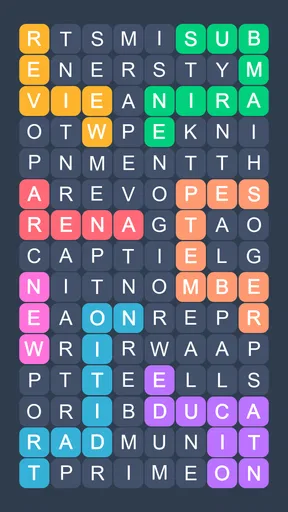
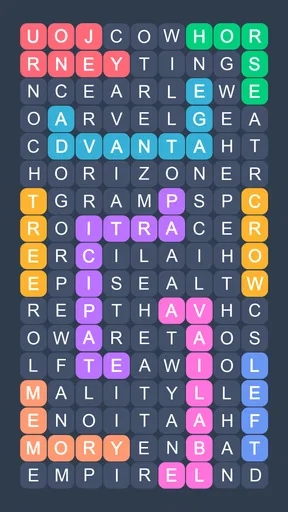
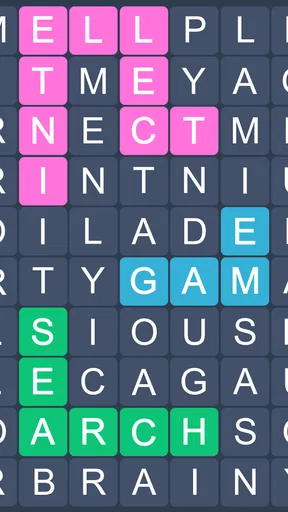
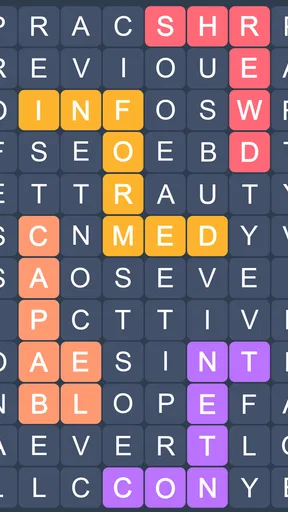
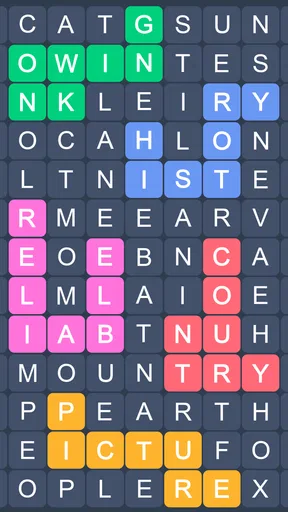
Our Review of Fillwords: Word Search Puzzles
 Analysis by Appyee
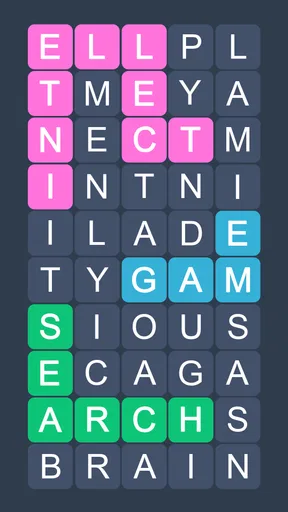
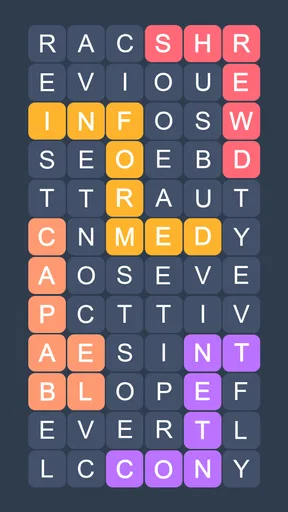
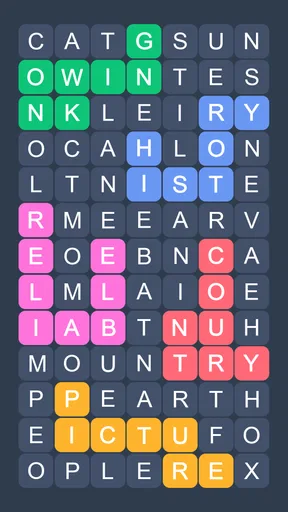
I tend to judge a word game by what it asks me to do in the first few minutes: can I understand the goal, get a small win, and see why I would want to return? Fillwords: Word Search Games makes a clear first impression. It is a free word puzzle game from Malpa Games, built around tracing words through a field of letters rather than simply scanning rows for a hidden answer. That small change gives each puzzle a more hands-on feel, and it makes the game easy to pick up when I have a little time to spare.
The basic loop is direct: look over the letters, spot a word, and swipe through its sequence. That makes the first goal obvious without requiring a long tutorial or a big commitment. I can see the appeal for someone who wants a gentle brain exercise on a commute, during a quiet break, or while waiting for an appointment. The game is also rated for Everyone, so its word-puzzle premise is suitable for a broad audience, though a younger player’s experience will naturally depend on the vocabulary in the puzzles.
Small goals make it easy to begin
At the start, the satisfaction comes from recognizing a word and tracing it cleanly. The gesture is simple enough that I can focus on the letters instead of learning complicated controls. The puzzles give me a short, concrete target: find the words in front of me, then move on. That makes Fillwords a better fit for brief play than word games that expect me to plan a long session or remember a complicated set of rules.
The first few wins also teach a useful habit: do not scan every letter with equal attention. I look for familiar letter combinations, then test whether nearby letters can complete a likely word. When I get stuck, changing where I begin scanning is often more useful than repeatedly checking the same line. This is a small adjustment, but it helps keep the search from feeling like random swiping.
Progress feels tied to what I notice
The main progress signal is straightforward: I solve the current puzzle and advance to another. I like that the reward is connected to paying attention rather than racing a timer. It suits a relaxed session, and it makes a completed board feel earned without turning each answer into a high-pressure test. The app’s overall presentation supports that pace, with an interface that is easy to understand and a tactile response when a word is found.
That simplicity has a trade-off. Players who want a detailed record of their improvement, a competitive leaderboard, or a large set of side objectives may find the basic puzzle-to-puzzle rhythm too spare. I would choose a more competitive word game if my main motivation were comparing scores with friends; I would choose Fillwords when I want to concentrate on the letters themselves and finish at my own pace.
The challenge comes from shifting your approach
As the puzzles become less obvious, the useful skill is not just knowing more words. It is noticing how letters relate across the board and resisting the urge to force a familiar answer where it does not fit. I find it helps to scan in passes: first look for short, recognizable combinations, then reconsider the remaining letters from a different starting point. That makes a difficult board feel like a pattern problem as well as a vocabulary test.
The gradual rise in difficulty gives new players room to learn, while experienced word-search fans can still enjoy the moment when a promising route turns out to be wrong. It is not the right choice if you want a deep strategy game or a tightly timed challenge; the appeal is a calm search with a modest increase in complexity. For a quick mental reset, that is a strength rather than a shortcoming.
A relaxed rhythm, with a few practical trade-offs
The game’s store summary highlights offline word searching, which is useful when I want something to play without relying on a steady connection. In everyday use, I would treat it as a good option for a train ride or a waiting room, while remembering that offline availability does not mean every part of a mobile game must work without a connection. The core appeal is that the puzzle itself can fit into a quiet stretch of time rather than demanding constant attention.
Who will enjoy this style of word search
I would recommend it to people who enjoy finding words but want a little more interaction than a conventional grid where answers run in straight lines. The swiping gives each discovery a clear physical action, and the puzzles can be played in short bursts. It also works for someone who likes to unwind with a low-stakes task: one board gives the mind something specific to focus on, without asking for a long session or intense planning.
By contrast, I would skip it if I wanted a vocabulary course with explanations, a story-led adventure, or head-to-head competition. It is a puzzle game, not a substitute for structured language learning. If I were playing with a child, I would sit nearby at first and help with unfamiliar words rather than assume every puzzle would match their reading level. That kind of shared play can turn a tricky board into a conversation instead of a frustrating test.
A practical way to keep sessions enjoyable
One useful approach is to decide in advance whether I am playing for a quick break or settling in for a longer run. For a short pause, I focus on completing one board and stop there; for a longer session, I take a moment between puzzles so the search does not blur into repetitive scanning. If a word will not come, I change my scan direction or look for a different letter cluster rather than dragging through the same route again. This keeps the game pleasant and makes the answer feel discovered rather than guessed.
There is also a sensible reason not to chase every optional purchase. The game is free to download, with in-app purchases listed from $0.99 to $54.99 per item, so I would try the core puzzle loop before spending anything. If a purchase is ever tempting, I would first ask whether it solves a real annoyance for me or whether I am simply reacting to being stuck. That pause is especially helpful in a casual game, where taking a break is often just as good a solution as paying to move forward.
What to expect before installing
Fillwords has a 4.9 average from around 405,000 ratings and has been installed over 10 million times, which suggests that this straightforward format has broad appeal. It first appeared on January 11, 2017, and version 1.55.27 requires Android 8.0 or later. Those details make it easy to check whether it fits your device, but the more important question is whether you enjoy tracing words through a letter field. The app is free to start, while optional purchases mean I would keep an eye on spending if a child is using the device.
Compared with a standard word-search app, this one makes finding the answer feel more active because I trace the letters rather than simply read along a line. Compared with crossword-style games, it asks less of me in terms of clues and general knowledge, but it also gives less context for a word once I find it. That is a useful distinction: choose it for visual pattern spotting and quick word recognition, not for learning definitions or solving a clue-based puzzle.
How the pacing holds up over time
The progression works best when I treat each board as its own small goal. Unlocking the next puzzle gives a clear reason to continue, while the changing arrangements encourage me to adjust how I search. The challenge is therefore less about building a long-term strategy and more about staying observant from one board to the next. If that steady rhythm sounds satisfying, the game can be an easy habit to return to; if you need frequent dramatic changes, a story-driven game or a more varied puzzle collection may hold your attention better.
My main reservation is that a familiar search loop can become repetitive if I play for too long at once. I would not expect every board to feel like a new kind of game, and the relaxed pace may seem too gentle to anyone looking for a demanding brainteaser. I also would not use it as my only way to build vocabulary, since recognizing a word in a puzzle is different from learning how to use it. These are limits of the format, not reasons to dismiss it; they help define when it is most enjoyable.
My progression verdict
For a casual player, the most useful question is whether the next puzzle feels like an invitation or an obligation. In my experience, this game is most satisfying when I stop after a natural milestone instead of treating every unlocked board as something I must clear immediately. The short goals make it easy to return, but they do not need to dictate how long I play. That balance is a good fit for people who want a pocket-sized activity rather than a game that competes for their whole evening.
If you are unsure whether it is for you, try a few boards and pay attention to what you enjoy: the word spotting, the swipe itself, or the gradual increase in difficulty. If the visual search is the fun part, the game has a clear reason to stay installed. If you mainly want word definitions, timed competition, or a narrative reward for every level, another kind of word game will likely suit you better. I would recommend Fillwords to a friend who likes calm, tactile puzzles and wants an easy game to dip into without a complicated setup.
Hey there, fellow word enthusiasts! If you're anything like me, you're always on the hunt for the next addictive word game to fill those spare moments of your day. Enter Fillwords: Word Search Games, a delightful app that's been keeping my brain sharp and my fingers busy.
A Fresh Twist on Classic Word Challenges
At first glance, Fillwords: Word Search Games might seem like your typical word search puzzle, but don't be fooled. This app brings a fresh twist to the classic game. Instead of searching for words hidden in a straight grid, you'll be connecting letters in all sorts of directions to uncover hidden words. It's like a crossword puzzle had a baby with a Rubik's Cube!
The interface is sleek and user-friendly, which makes diving into the game a breeze. You can easily swipe across letters, and the game subtly vibrates to give you that satisfying feeling when you've found a word. Trust me, it’s those little touches that make the experience all the more enjoyable.
Levels that Keep You Hooked
One of the things I love about this app is the variety of levels. Just when you think you’ve mastered it, the game throws a curveball with new challenges that keep you on your toes. Each level is designed to test different skills, from your vocabulary range to your ability to spot patterns quickly. It's a great way to keep your brain engaged without feeling overwhelmed.
Plus, the difficulty curve is just right. You start with simpler puzzles to get the hang of it, and before you know it, you're tackling complex grids that make you feel like a true wordsmith. And let's be real, there’s nothing quite like the feeling of nailing a particularly tricky puzzle.
Perfect for Quick Breaks or Long Sessions
Whether you’re waiting for the bus or winding down after a long day, Fillwords is perfect for any occasion. The app’s design allows you to pick up right where you left off, making it ideal for quick five-minute breaks or longer gaming sessions. And with new levels being added regularly, boredom is never an option.
Not to mention, the game’s vibrant colors and pleasant sound effects make it a joy to play. It’s one of those games that manages to be both relaxing and challenging at the same time – a rare combo that’s hard to find!
A Few Final Thoughts
In conclusion, if you're looking for a word game that’s a bit different from the usual offerings, Fillwords is definitely worth a download. It's engaging, challenging, and oh-so-satisfying. Whether you're a word game newbie or a seasoned pro, there's something here for everyone.
So what are you waiting for? Grab your phone, head to your app store, and give it a whirl. Who knows, you might just find your new favorite pastime!
Privacy and Permissions
See what permissions an app requests and how it handles your data.
- Phone
- read phone status and identity
- Photos/Media/Files
- read the contents of your USB storage
- Storage
- read the contents of your USB storage
- Wi-Fi connection information
- view Wi-Fi connections
- Device ID & call information
- read phone status and identity
- Other
- view network connections, full network access, control vibration, prevent device from sleeping, read Google service configuration
Verdict
Strengths of Fillwords: Word Search Puzzles
- Engaging puzzles keep the mind sharp.
- User-friendly interface enhances gameplay.
- Variety of levels suitable for all ages.
- Offline play available for on-the-go fun.
- Regular updates with new challenges.
Limitations of Fillwords: Word Search Puzzles
- Ads can be frequent and intrusive.
- In-app purchases may be costly.
- Limited hints can be frustrating.
- Some levels feel repetitive.
- No multiplayer or social features.
Other Releases by Malpa Games
View All
Word Pizza: Crossword Games
Word4.8

Word Spells: Game for Adults
Word4.8


Cardscapes™: Jigsaw Puzzle
Puzzle4.8
Similar Picks in This Category
View All
Word Search - Word Puzzle Game
Bluetile4.8

Word Search Quest - Puzzles
Blackout Lab4.8

CodyCross: Crossword Puzzles
Fanatee, Inc.4.7

Words of Wonders: Crossword
Fugo Games4.9

Wordscapes: Word puzzle game
PeopleFun4.7

Word Search Explorer
PlaySimple Games4.9
Frequently Asked Questions
What is Fillwords: Word Search Games?
Fillwords: Word Search Games is a puzzle app that challenges players to find hidden words within a grid of letters. The game enhances vocabulary and cognitive skills as players swipe through letters to form words. It's designed for all ages and offers varying levels of difficulty to keep users engaged.
Is Fillwords: Word Search Games free to play?
Yes, Fillwords: Word Search Games is free to download and play. However, it may offer in-app purchases for additional features or to remove ads. Players can enjoy a wide range of puzzles without spending money, but premium options can enhance the gaming experience.
What platforms is Fillwords: Word Search Games available on?
Fillwords: Word Search Games is available on both Android and iOS platforms. Users can download the app from the Google Play Store for Android devices or the Apple App Store for iOS devices. Ensure your device meets the app's system requirements for optimal performance.
Does Fillwords: Word Search Games require an internet connection?
Fillwords: Word Search Games can be played offline, making it a great option for users who want to enjoy the game without an internet connection. However, some features, such as in-app purchases or updates, may require connectivity. Check the app settings for more details.
Are there any age restrictions for Fillwords: Word Search Games?
Fillwords: Word Search Games is suitable for all ages, with content appropriate for both children and adults. The game’s interface is user-friendly, making it accessible to younger players, while its challenging puzzles offer entertainment for adults. Parents can rest assured that the app is family-friendly.
Play our best games!


